What is Website Accessibility?
Website accessibility allows people to perceive, navigate, understand, and interact with apps, websites, and software — no matter their abilities.
Accessibility should be standard for all websites, but it hasn’t always been the common practice. If your website is more than three years old, it is likely missing the coding standards listed in the Web Content Accessibility Guidelines (WCAG) that allow screen-readers and other assistive technology to assist people with disabilities.
Why should your website be accessible?
It is believed that 15-20% of internet users have a disability. Not only does an inaccessible website restrict your audience, but it can also create legal issues. Companies both large and small have been subject to lawsuits because accessibility rights fall under the American Disability Act (ADA). Even pizza-giant Dominos recently received backlash over a lack of accessibility.
The IRS will grant up to $5,000 for Website Accessibility updates
Updating your website for accessibility takes time and can become costly – which might be why so many business owners avoid making the update.
But under the new IRS Disabled Access Credit, companies that make their business accessible to persons with disabilities — including increasing website accessibility — can now qualify for a $5,000 tax credit.
The benefits of an accessible website far outweigh the initial time and cost, and for your customers, it is well worth the investment.
If your website isn’t accessible, what should you do?
You can test the level of accessibility for your website through a variety of free tools. We recommend running your website through Google’s Lighthouse tool or the WAVE Web Accessibility Evaluation tool. Both tools provide an outline of issues that a developer can improve on each page of your website.
If your website isn’t up to snuff, you can improve accessibility through a variety of updates. Although most changes require editing the code, you can make many improvements without additional code or markup.
Our top recommended updates to improve your website accessibility
- Use alt tags on your images, so they are labeled for screen readers
- Make sure colors have enough contrast to ensure all elements are visible
- Allow font-size changing for small screens and low-visibility users
- Provide transcripts for video and audio files for deaf and hard of hearing users
- Include captions in videos for deaf and hard of hearing users
- Allow volume controls on all audio and video features for deaf and hard of hearing users
- Pair color-only indicators with status icons so different states are visible to color-blind users
- Make sure all of your forms have labels that are unique so that fields are easy to use with screen readers
- Include aria-labels for icons and make sure they’re visible unless they are unnecessary for functionality
- Add accessible names to all buttons, links, and menu items for screen readers
- Set a valid language attribute for your website so screen readers can accurately transcribe the content
To ensure your website is an inclusive environment for your customers, including those with disabilities, we recommend a website evaluation. In an evaluation with Coretechs, we will review your website against WCAG 2.1 standards and provide a list of recommended updates to improve your website accessibility. If you need assistance reviewing or updating your website, give us a call today.
Confessions of a Project Manager
Every Coretechs project is led by a Project Manager – they set milestones, keep the team on budget, and translate developer-speak when things get a little too technical. Today we’re giving them the megaphone and listening in as they share their most frustrating confessions.
We believe that you believe something is wrong — but we don’t believe it’s wrong until we see it
Part of our job as project managers is to understand the problems our clients have. Many times we’re given a problem and the description is “this randomly happens” or “it just does nothing.” Unfortunately, “random” is not applicable in development because nothing is random.
Add in the complicated game of telephone where your user discovers the problem and reports it to you, then you report it to me and I report it to the developer. By the time a developer digs into the issue, they may not be able to replicate it.

To help us debug a problem and set your mind at ease, we recommend reporting issues as clearly as possible. The most important details we need to know are:
- The order of steps taken that caused the error
- The device where the error occurred
- The browser that was used
If we are able to recreate the error, we’re halfway to fixing the problem.
If everything is urgent, nothing is urgent
We know updates and new features mean more money for our clients. We understand your business may need to pivot and we’ll always do our best to accommodate your deadlines. Sometimes you’ll have lots of ideas or updates that need to be managed urgently, and we’re ready to help. But if you need all of them done at the same time, we’re all going to get overwhelmed and you’re going to get frustrated.
If you have multiple projects, we encourage you to set the level of importance for each one. Let us know which one is most urgent and which ones can wait. This process helps us to set expectations and create a timeline that works for your business.
Sometimes your priorities will change, and that’s ok. We can shift gears and focus on the most important task when you need us to – be open, honest, and clear with us and we’ll make sure your project is delivered on time.
We want you to care about your code, but we don’t want you to tell us about your code
I explain code to our clients like it’s a car. Your car needs regular maintenance to run. If you don’t change the oil in your car, it will eventually stop running. The code for your app, website, and software is the same. As time goes by and technology progresses, neglected code becomes deprecated, easier to break, and more vulnerable to security attacks.
Your car and your code are both strong pieces of technology built by a knowledgeable team of experts, so you don’t need to worry over it all the time. We’re doing that for you.
We provide daily monitoring and weekly evaluations for your apps, websites, and software, so we’re notified about any code-related issues. We strongly recommend that you take advantage of automated care if you are not able to manage it yourself.

Existing features will break with unrelated updates
Part of our process when managing your project is testing. We always include project testing in our proposals because nine times out of ten, something breaks. Most of the time, unrelated code breaks happen when we’re performing version updates for the code that powers your software, app, or website.
Sometimes our clients think they can save money by avoiding testing. The main takeaway here is – testing is worth the money.
Your emergency is our top priority but we can’t hold your hand while we work on it
In our line of work, we inevitably get the Panic Call from a concerned client. When you call us panicked, we’re ready to jump into action and get it fixed.
We hope that you never have reason to panic, but when you do call with an emergency, we stop what we’re doing to take care of it. Once I understand the problem, I’m going to call the developer and we’re going to work on it until it’s resolved. When it’s done we will let you know, but until then we need you to trust that we’re taking care of it as quickly as we can.
Advanced techniques to keep your systems secure against ransomware attacks
We recently shared our list of the top 5 ways small business owners can protect their business from Ransomware attacks. These quick tips can be implemented by most business owners with little technical support, but if you want to take it a step further, consider working with a tech team.
Ransomware is a serious threat for businesses, with the average payout as of Q4 2020 estimated at $220,298. Working with a tech team gives you a knowledgeable guide to help you prepare your systems and safeguard against attack.
Advanced techniques to keep your systems secure against ransomware attacks:
- Establish effective firewall rules
- Create email filtering systems
- Configure computer workstation settings
Establish effective firewall rules
Cargo ships are not allowed
If you host your own network you need an enterprise grade firewall. Without a firewall, your internal system can be found and accessed by anyone – including those who should not be there.
Just like cargo ships are required to use their own lanes instead of sailing with smaller vessels, firewalls establish rules that limit traffic to your network. Your firewall tells outside traffic that it is not expected or welcome.
Your ISP router (internet service provider) should not be your last line of defense from attacks, it will leave you vulnerable. Set your Firewall rules to protect your system and keep your incoming traffic restricted to those who should be coming to port.
Create email filtering systems
Only keep the right catches
When boaters go fishing they rarely keep all the fish, instead, they filter them. Wise fishermen decide which fish to keep based on a variety of variables. You should do the same with your emails.
If your email software provides proactive scans of incoming emails to weed out phishing links and malware attachments, then use it! If your email software doesn’t offer this service, there are third-party services that can support automated filtering on your systems.
Although filtering is not a requirement to safeguard your business, it can be a effective automated tool to prevent phishing emails and malware from reaching your employees. Pair filtering with training or simulated phishing emails to help your employees prepare for a real attack.
Configure computer workstation settings
Know your latitude and longitude coordinates
When the storm hits, it’s easy to get lost. Prepare your business for the oncoming storm by creating warning signs and protocols that keep your work stations safe.
First, make sure all of your employee computers show file extensions. A file extension declares the file type and is typically represented by a period and three letters – like “.pdf”.By default, Windows machines shorten the extensions to make file names more user friendly, but hiding the extension can also be dangerous. Malware files with hidden extensions pose a sneaky threat to unprepared users. Set your team up for success by forcing visible extensions and disallowing the ability to change them.
Second, if you have older Windows machines that are no longer supported, consider upgrading. Older machines used to have a setting called SMBv1 which has been phased out of Microsoft systems since 2016. The SMBv1 protocol was discovered when hackers broke into NSA systems and deployed ransomware exploiting the vulnerability.SMBv1 allows remote code execution on your computer and creates a quick entry-point for attack.
3 out of 4 small businesses say they don’t have sufficient personnel to address IT security. If your business is not prepared for a ransomware attack, Coretechs can help.
How to keep your business safe from the storm of Ransomware attacks
Ransomware is a hot topic and a scary one since it can affect anyone – including your small business. In fact, more than 43% of cyber attacks occur on small businesses. In the first in this two-part series, we’re recommending some simple tips on how to protect your business from ransomware attacks. In part two we take you through a few advanced techniques to keep your systems secure.
Any good sailor knows the way you prepare for a storm determines if you can sail again tomorrow. Ransomware is just as dangerous as a storm on the open sea and can destroy your business if you’re not prepared.
The top 5 ways to protect your business from ransomware attack:
- Educate your employees
- Backups can save your business
- Run security patches
- Create a guest wi-fi network
- Limit user access
1. Educate your employees
All sailors should recognize a storm warning
All the sailors on the boat have a job. All jobs differ, but everyone has the responsibility to alert the captain of an impending storm.
Your staff should be able to recognize the warning signs of an attack. Employees should be educated about phishing links and malware attachments, including what they look and sound like. If an employee receives an email from someone they know but it is strange, they should pick up the phone and call the sender to verify the sender was not hacked.
The Verizon 2021 Data Breach Investigations Report noted that 82% of data breaches involved a human element like failing to recognize phishing emails and falling for using poor passwords.
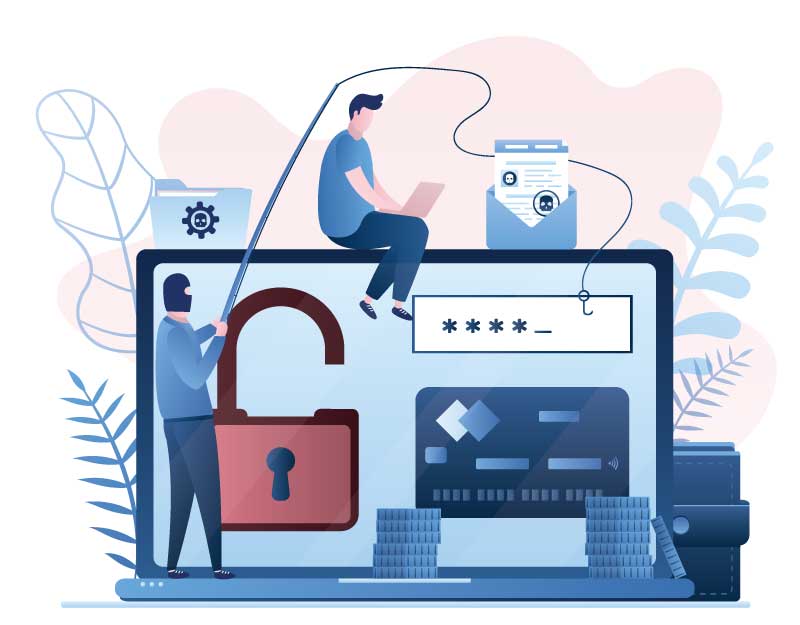
- The Verizon 2021 Data Breach Investigations Report noted that 82% of data breaches involved a human element. Some examples of the human element include:
- Failing to recognize a phishing email and clicking on a link or attachment
- Engaging in conversation with someone spoofing the email of a trusted person and giving information to that person
- Using poor and commonly known passwords
- Re-using passwords or sharing passwords with others
- Falling for social engineering schemes, e.g. an email or call asking for company information or a purported call from “Microsoft” need access to their laptop to fix a vulnerability
- Misconfiguring software or using software which is no longer supported
- Clicking on bogus social media posts
- Failing to promptly install new updates and patches
- Failing to encrypt sensitive data when emailing or sharing it
Never share passwords via email. Instruct your employees that they should not open links that look strange. They should not install programs when they do not know what they are.
Local cybersecurity firm Sensei Enterprises recommends that cybersecurity awareness training be held twice a year to help keep employees on their guard.
These simple instructions seem like common sense but everyone should be reminded of best practices, and if possible you should implement security awareness training for your team on a recurring basis. Educate your sailors!
2. Backups can save your business
Make sure your lifeboat is ready
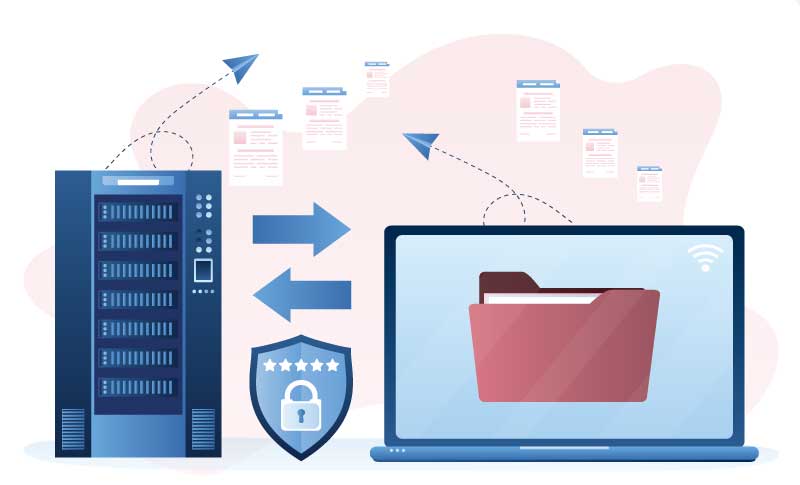
Think of your system backups as your lifeboat. If you are compromised by ransomware, you will need someone to come to your rescue. The best rescue you can hope for is a lifeboat.
According to the Sophos State of Ransomware for 2021 report, only 8% of entities get back ALL their data after paying the ransom.
Backups are more than just your data or database. You should back up your code and system as well. For maximum safety, we recommend backing up your data daily. If you want to go a step further, you can store your backups off-site from your server.
According to the Sophos State of Ransomware for 2021 report, Only 8% of entities get back ALL their data after paying the ransom. Creating frequent backups guarantees you’ll still have your data post-attack.
We recommend Acronis or IBackup as affordable options for implementing your own backup strategy.
3. Run your security patches
Everyone on board needs their own life jacket
In every technology system there are several pieces that include Server operating systems, code versions, frameworks, browsers, databases, and more. Each piece has their own set of security updates. Usually each piece has their own schedule of when updates become available – for example Windows updates come out every 2nd Tuesday of the month.
Just like every person on board needs to have a life jacket, every piece of your technology system has a life jacket. It is important that you understand what needs to be updated in your system and monitor when those updates become available. Keep your system safe by running updates when they are available and staying informed of server patching best practices.
4. Create a guest Wi-Fi network
Fellow boaters are welcome to party next door, but not onboard
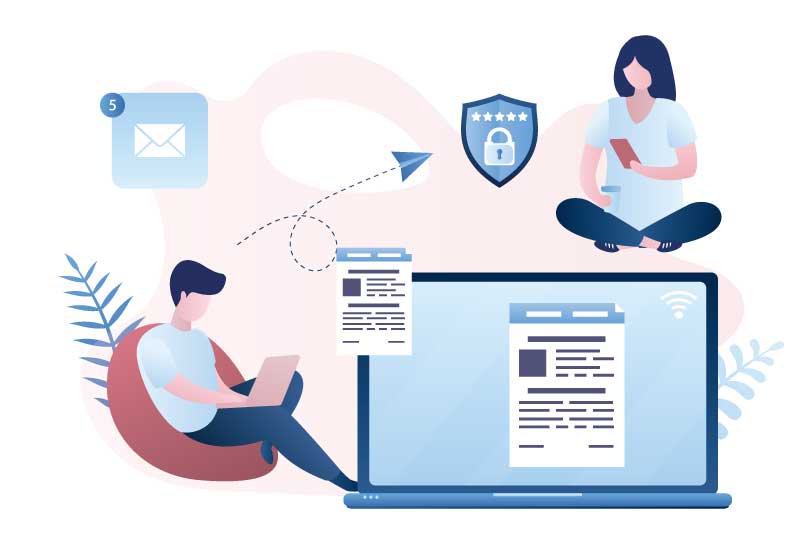
Maintain a separate guest WiFi network for unknown devices. Anyone who wants to connect to your WiFi network should only access a separate guest network in order to keep their devices from accessing your information.
Think of this as neighboring boaters who want to come aboard your boat. If you take on too many, your boat could capsize! Instead, allow them to pull their boat up next to yours and spread out to party!
5. Limit user access
There’s only one captain
No matter how many people are on your boat, there’s only one captain. If all the boaters try to steer, you won’t go anywhere. The same is true from your business.
Each company is different, but it’s important to remember that not everyone needs full access to every system feature. We recommend limiting access where possible with the following guides:
- Do not give employees Admin access to their work machine. This means they should not be able to access permissions on the computer to change them.
- Be intentional about shared drives from the employee’s machine to another and to the server. If one user is compromised and has shared drives, the issue is more likely to spread.
- Limit personal use of employee computers. We know this is asking a lot, we have to remind ourselves of it too. Unfortunately, employees often inadvertently bring on malware through social media, personal email etc.
Boaters should always check the weather before sailing and prepare for the worst. You can do the same for your business and protect against ransomware attacks by staying aware of the environment and preparing a proactive defense.
Simple steps add up to real results that can help keep your business safe and prepare you for a successful cast off!


 10400 Connecticut Ave #411
Kensington, MD 20895
10400 Connecticut Ave #411
Kensington, MD 20895

